Personal Project









Nomi
Nomi
Context
Personal project
Role
UI / UX Designer
Focus
AI interaction
Visual design
Overview
Unfamiliar menus leave more questions than translated names can answer. What does a dish look and taste like? How is it cooked, and what is in it?
Nomi combines translation, imagery and personalized guidance to help diners choose for their taste, budget and dietary needs, from vegetarian preferences to ingredient and allergy questions.
My Role
I initiated the concept, conducted user research and interviews, and designed the complete user flow and interfaces. I explored visual directions and refined the experience through user testing and prototype feedback.
















Research
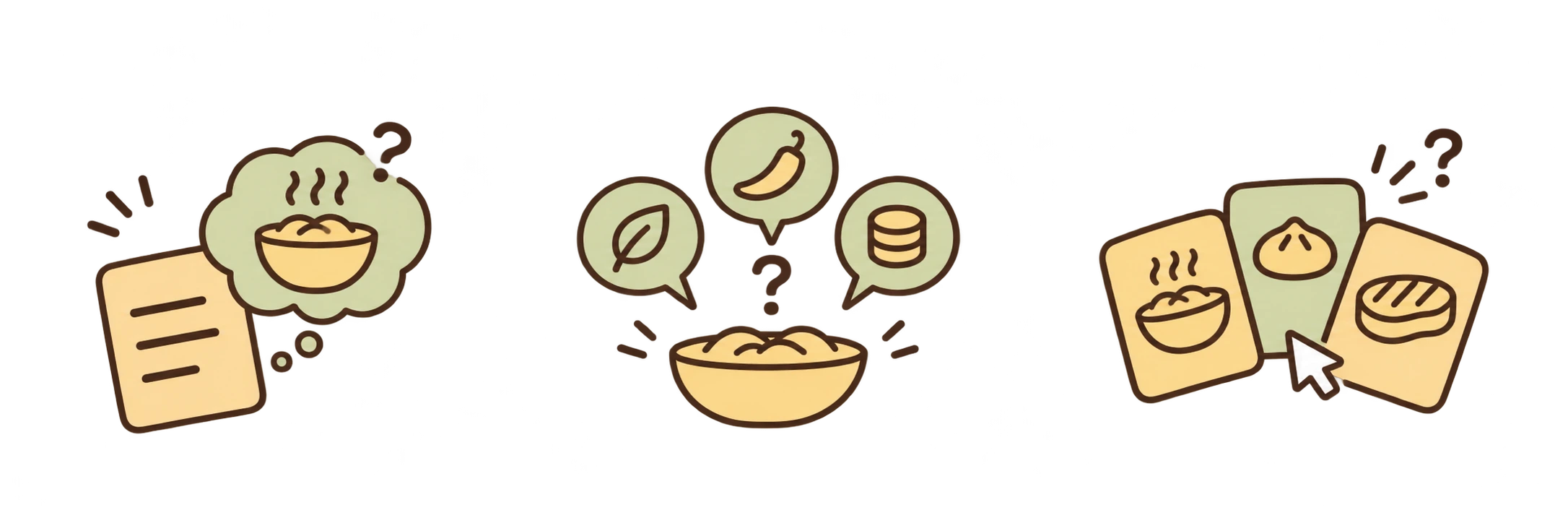
Translation alone doesn’t solve the problem.
Understanding the words is only the start. Diners need to understand the dish,
know what suits them and get help deciding.
Names without context
Translated names reveal little about what a dish looks or tastes like.
Unsure what fits
Understanding a dish doesn’t mean it suits your taste, budget or dietary needs.
Still hard to choose
Even with dish details, comparing unfamiliar options can feel overwhelming.
Understand the dish
See photos, cooking methods, ingredients and flavor at a glance.
Know what suits you
Identify dishes that match your preferences and dietary needs.
Get help deciding
Ask for recommendations and compare options without leaving the menu.
Ideation
Explore it yourself. Ask when you need help.

Browse & understand
Explore dishes through photos, ingredients, cooking methods and flavors to understand the menu before choosing.

Ask & personalize
Share your tastes, dietary needs and budget with Nomi to get recommendations and compare dishes without leaving the menu.
Visual Design
A warm, curious dining companion.
Soft color, rounded type and paper-like details give Nomi a friendly personality, while real food imagery keeps the dish at the center.
Warm yellow
Cream
Sage
Cocoa
Rounded headings pair with an easy-to-read body.
Paper edges and photo borders add a handmade touch.

Your menu guide
Listening to you
Choose this dish

Aa
Fredoka
abcdefghijklmnopqrstuvwxyz
ABCDEFGHIJKLMNOPQRSTUVWXYZ
Aa
Nunito
abcdefghijklmnopqrstuvwxyz
ABCDEFGHIJKLMNOPQRSTUVWXYZ
Final Design
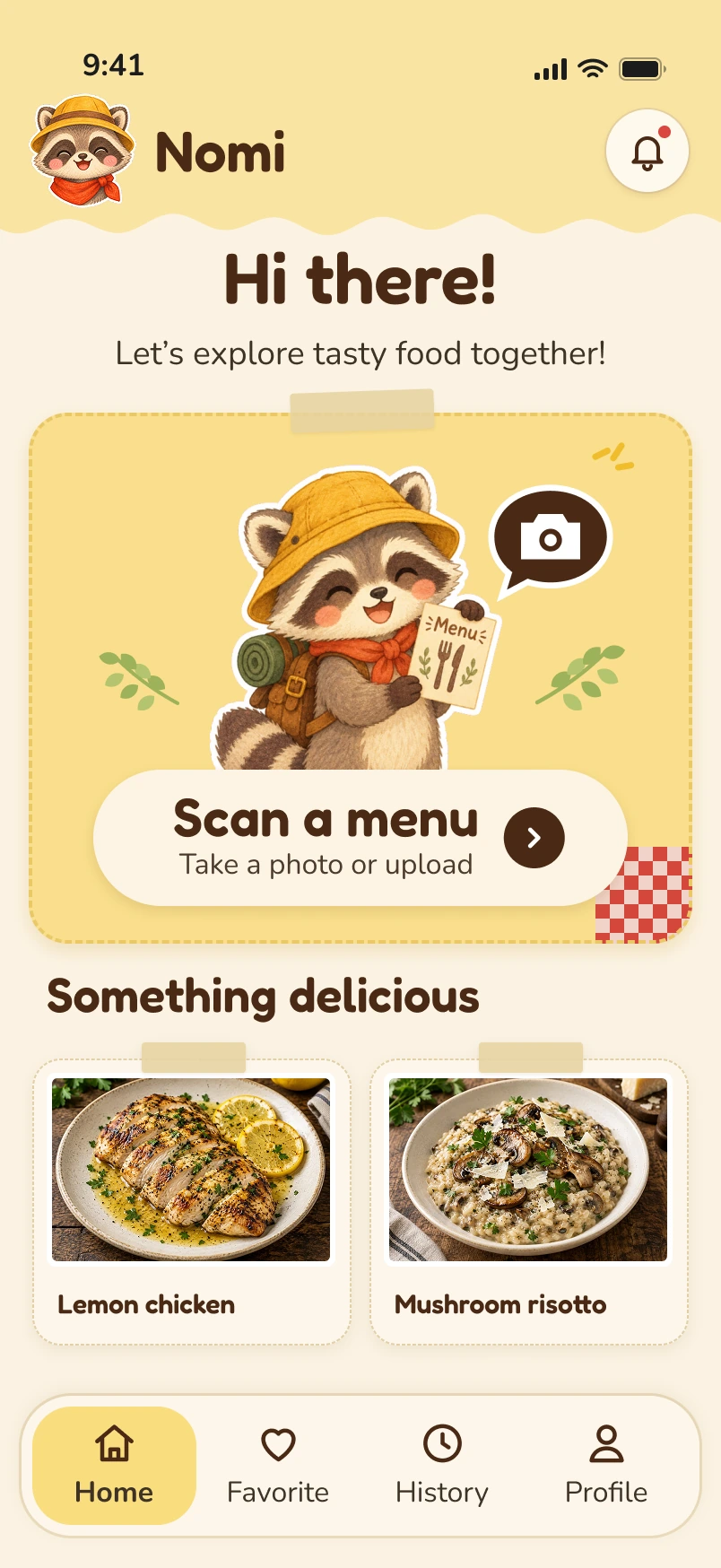
A friendly place to start.
Scan a menu
The main action makes it easy to take a photo or upload an existing menu.
A little inspiration
Food cards offer a visual starting point for exploring unfamiliar dishes.
Your discoveries
Favorites, history and profile stay within reach through the bottom navigation.





Final Design
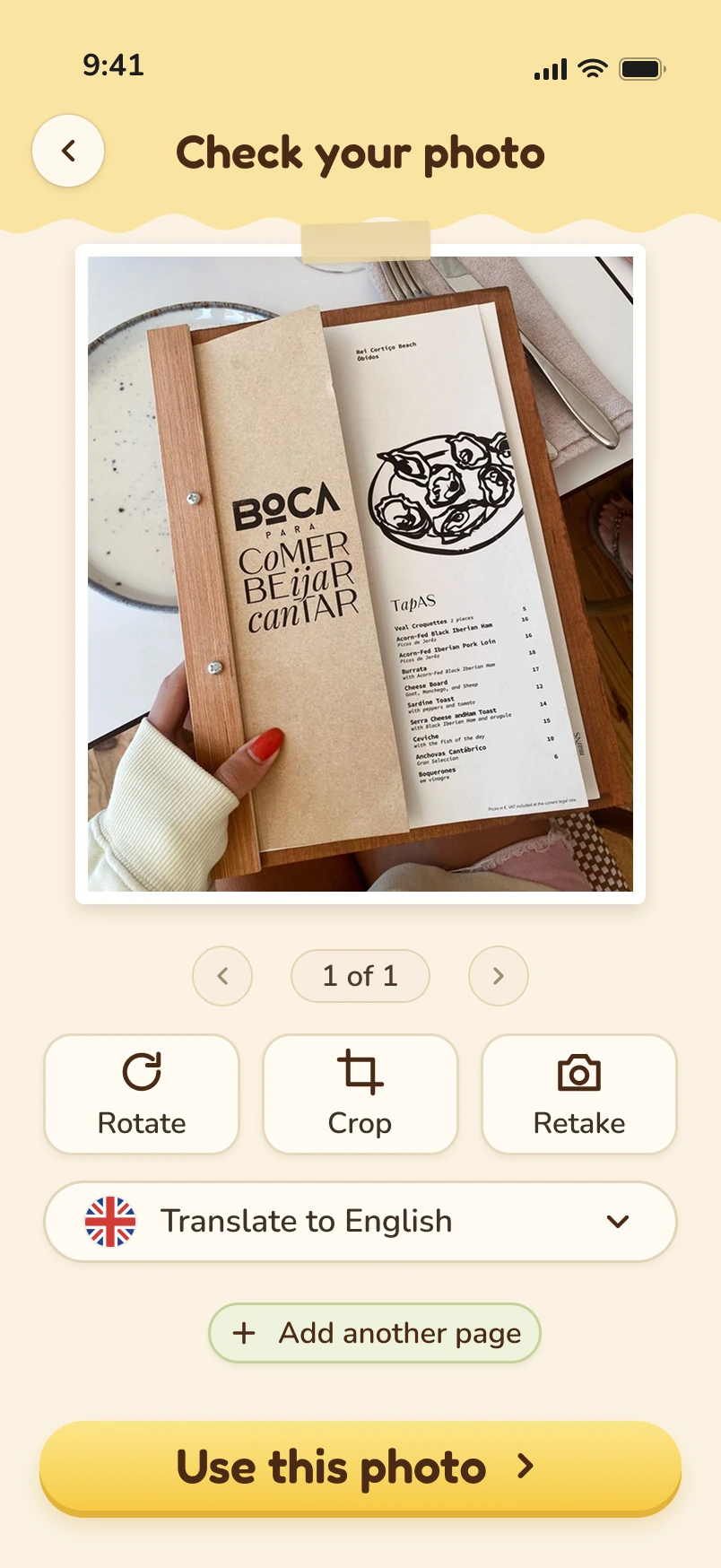
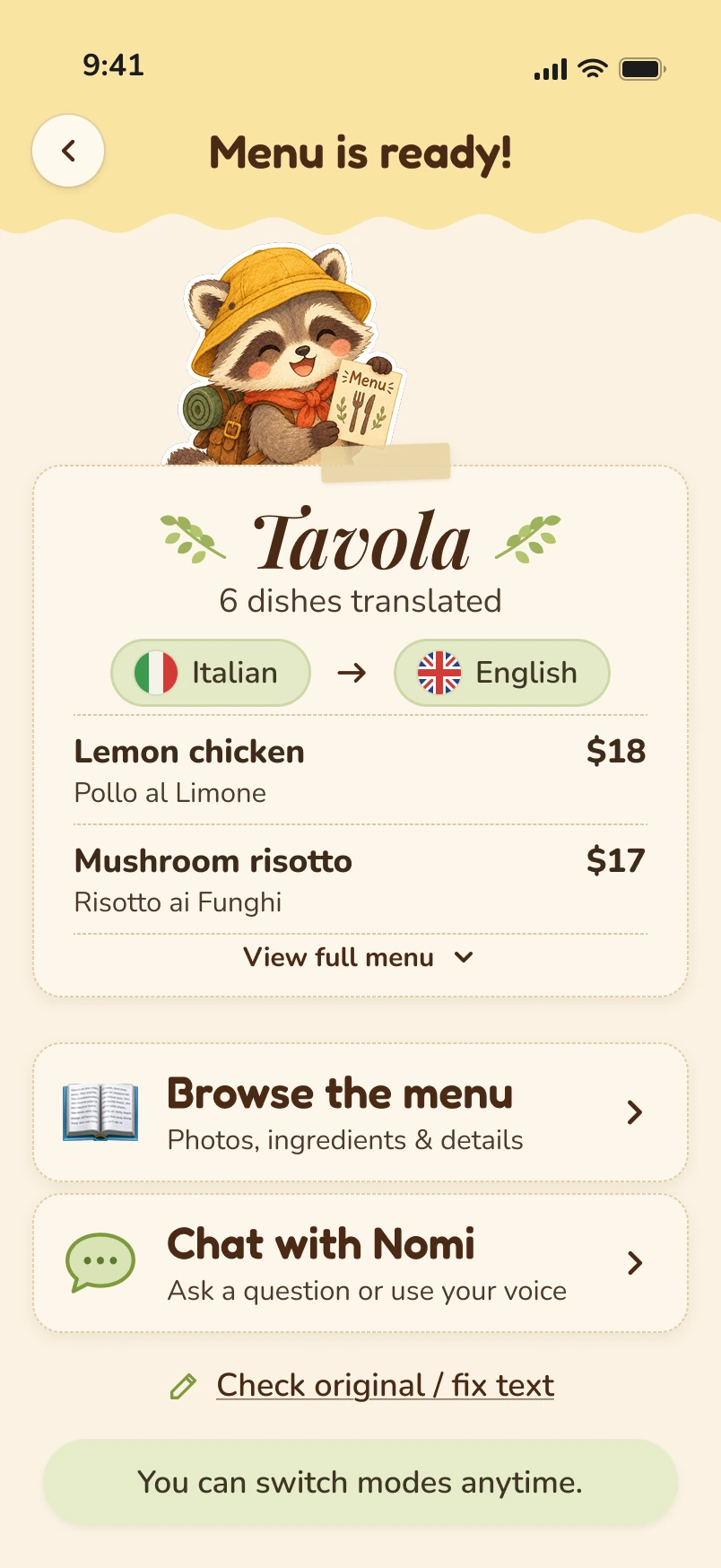
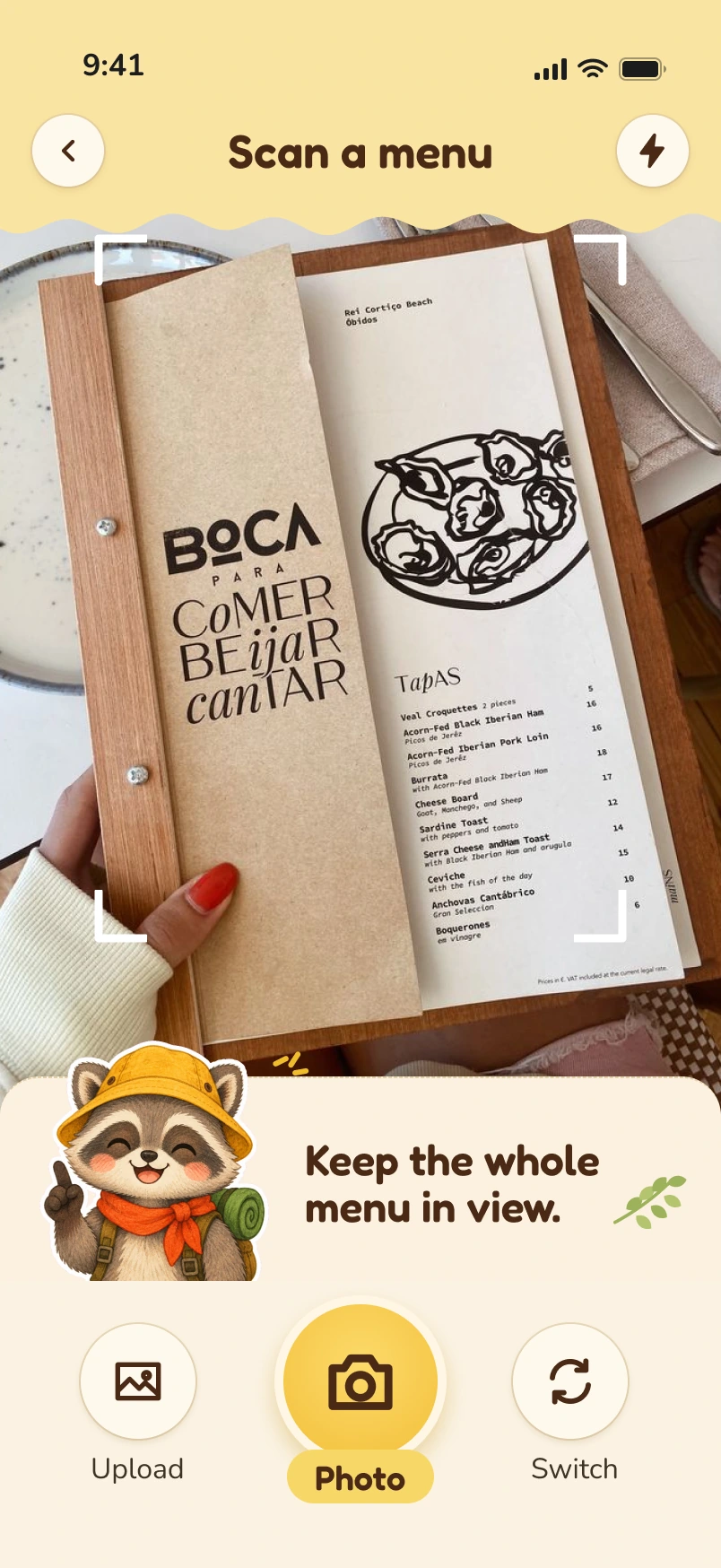
From a menu photo to a place to start.
Capture
Check your photo
Choose your mode







Final Design
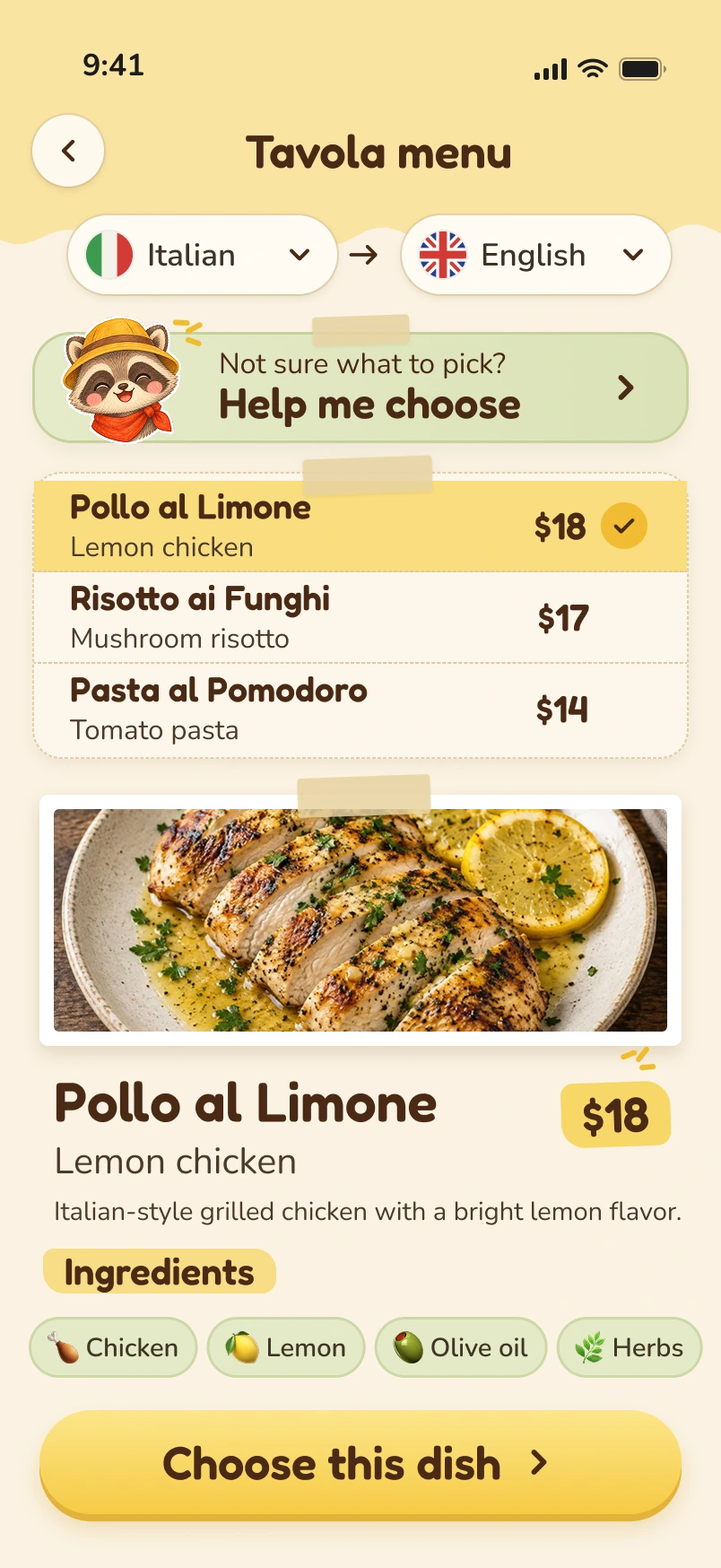
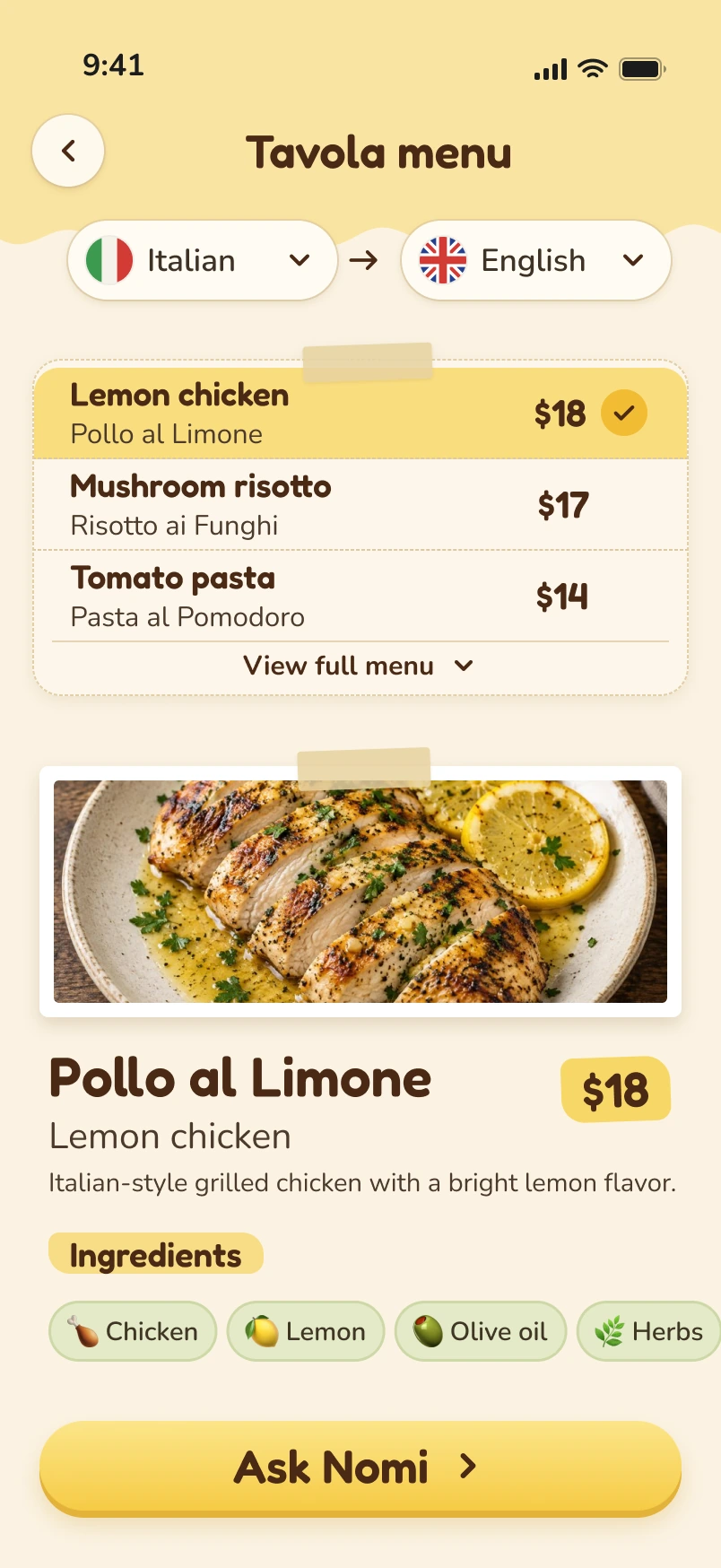
More than a translated name.
Explore each dish
Select a dish to reveal its photo, price, ingredients and flavor without losing the menu above.
Still deciding?
“Help me choose” opens preferences. It remains separate from confirming the selected dish.
Dish Details
Food imagery and concise details make unfamiliar names easier to understand.







Final Design
Ask in your own way.
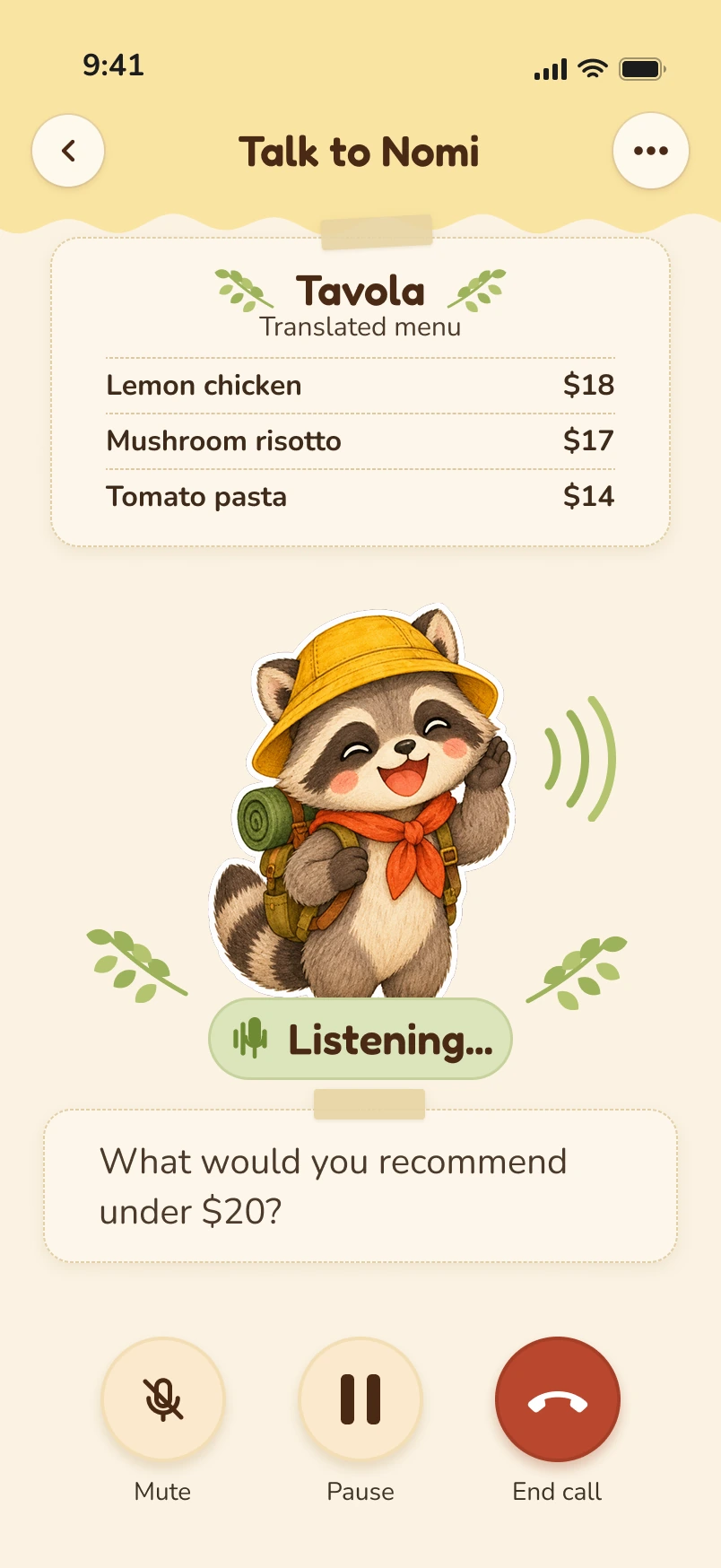
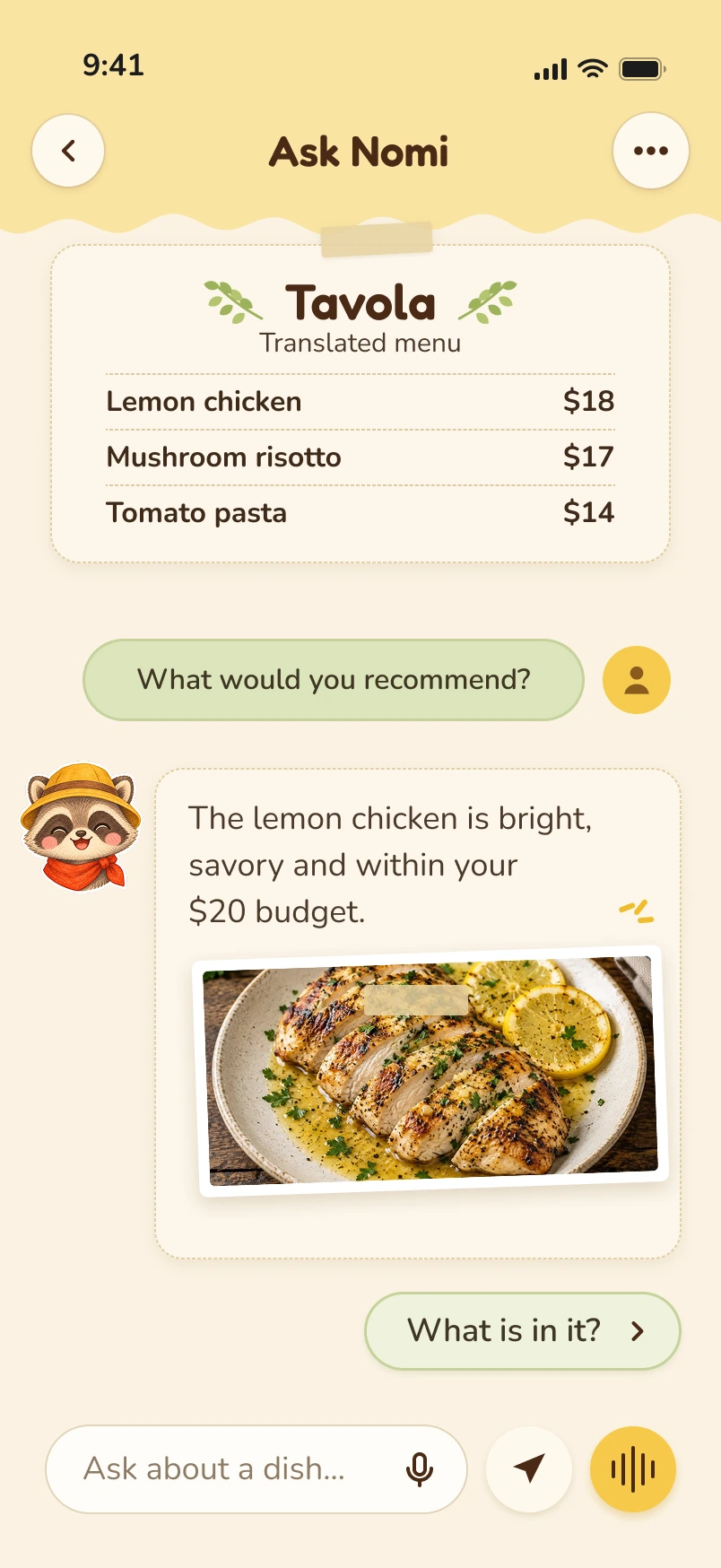
Chat quietly or speak naturally. Both experiences keep the translated menu in view for checking names and prices.
Chat with Nomi
Type or send a voice message.
Read the answer and explore follow-up questions.
Talk to Nomi
Start a live conversation.
Listening and speaking states make activity visible.


Final Design
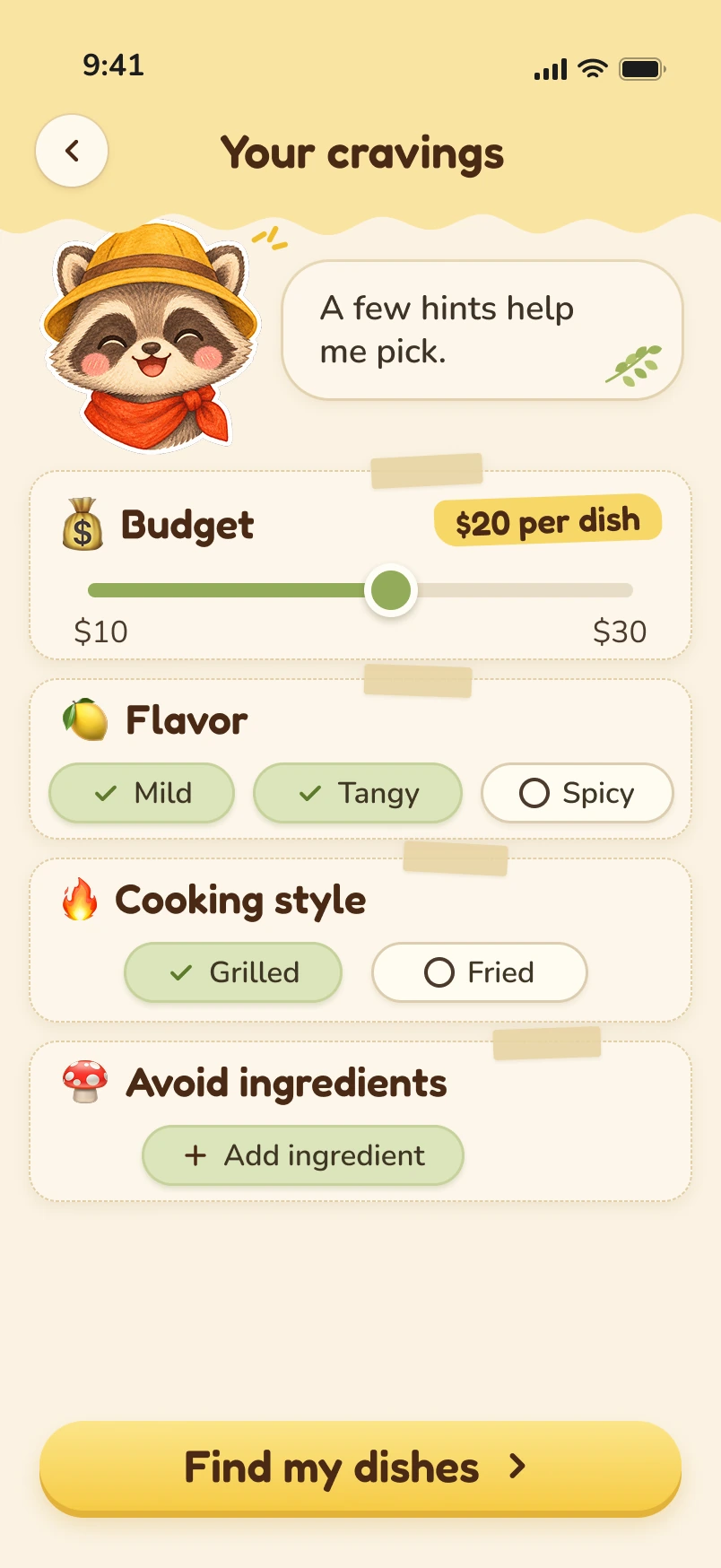
Find something that feels like you.
Taste, cooking style, budget and ingredient exclusions turn a broad menu into a more personal starting point.
Express your preferences
Choose what matters to this meal.
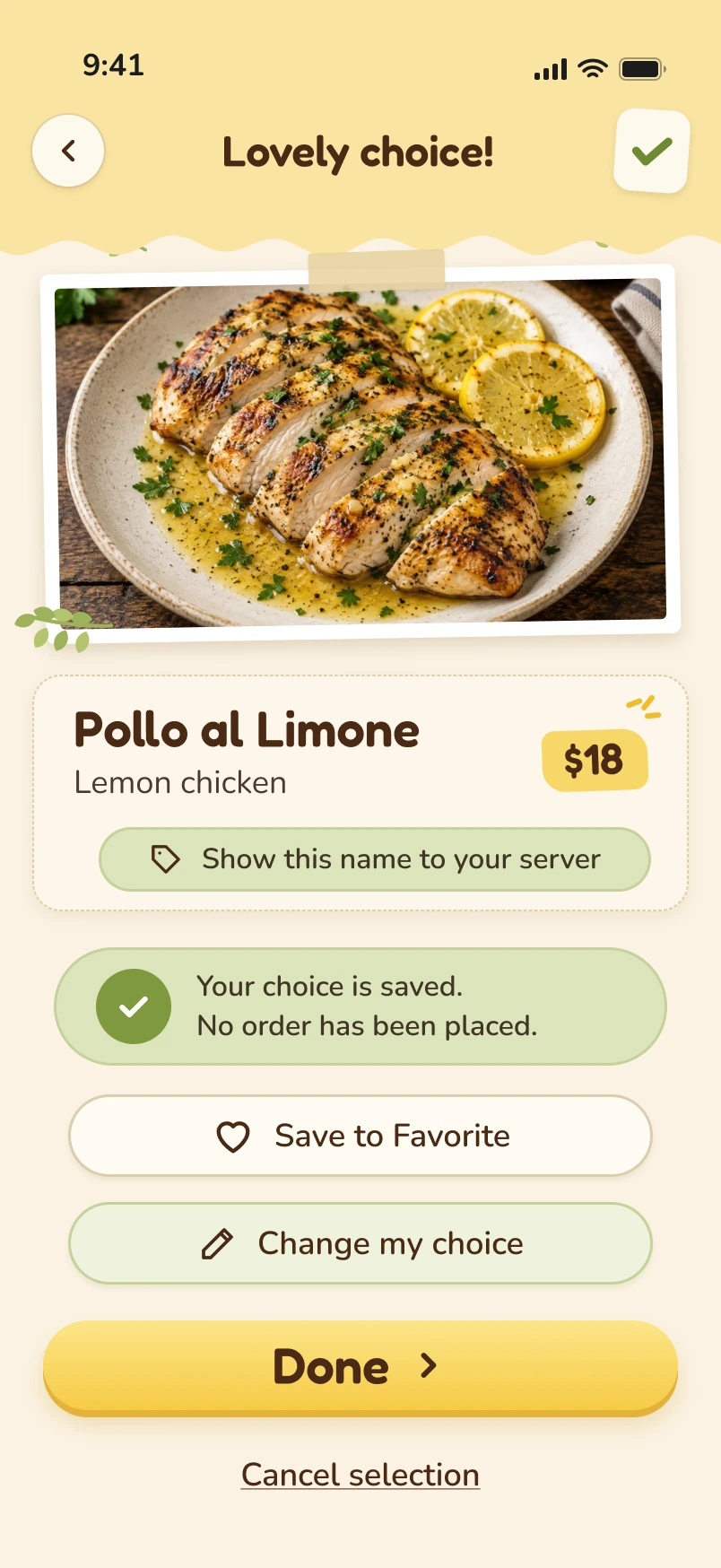
Keep the final say
Save or change your choice.




More Screens
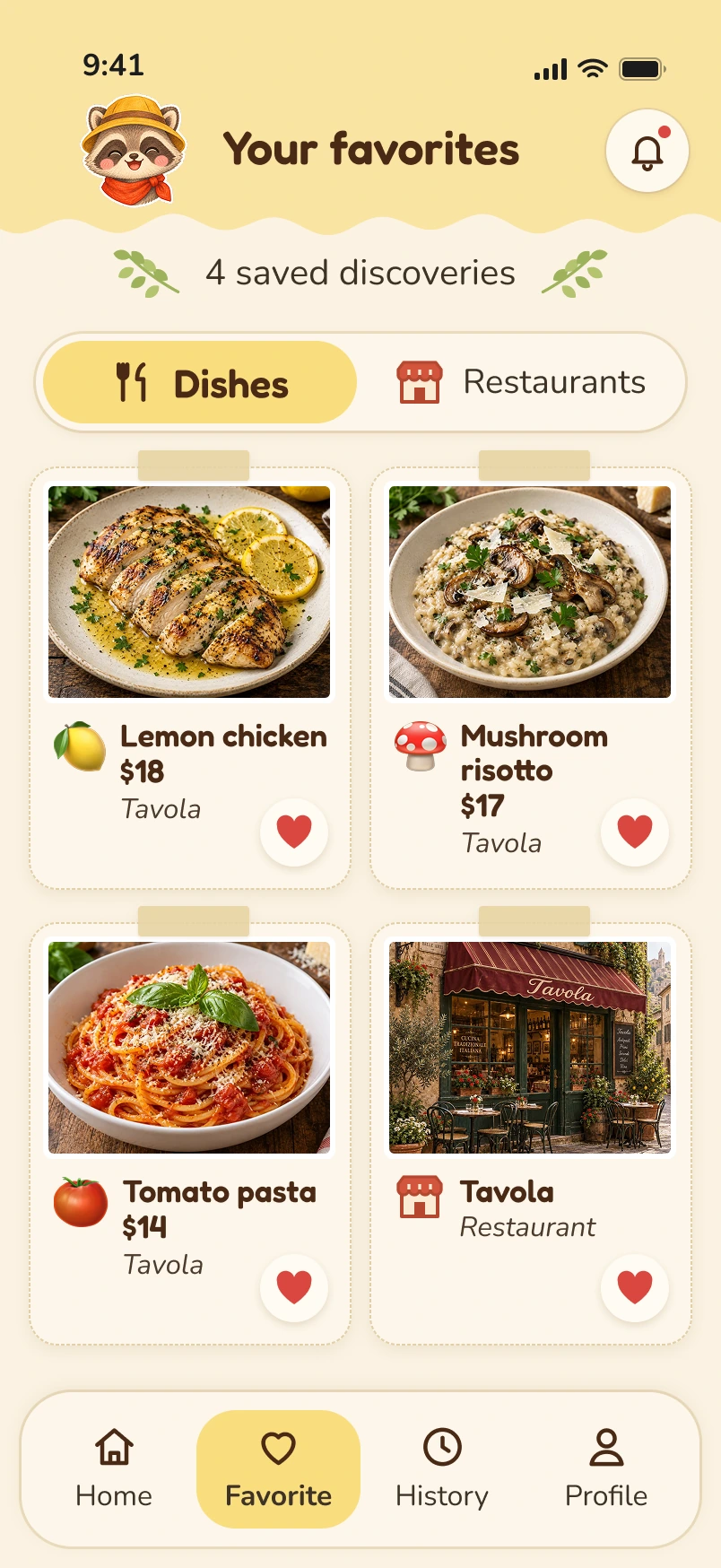
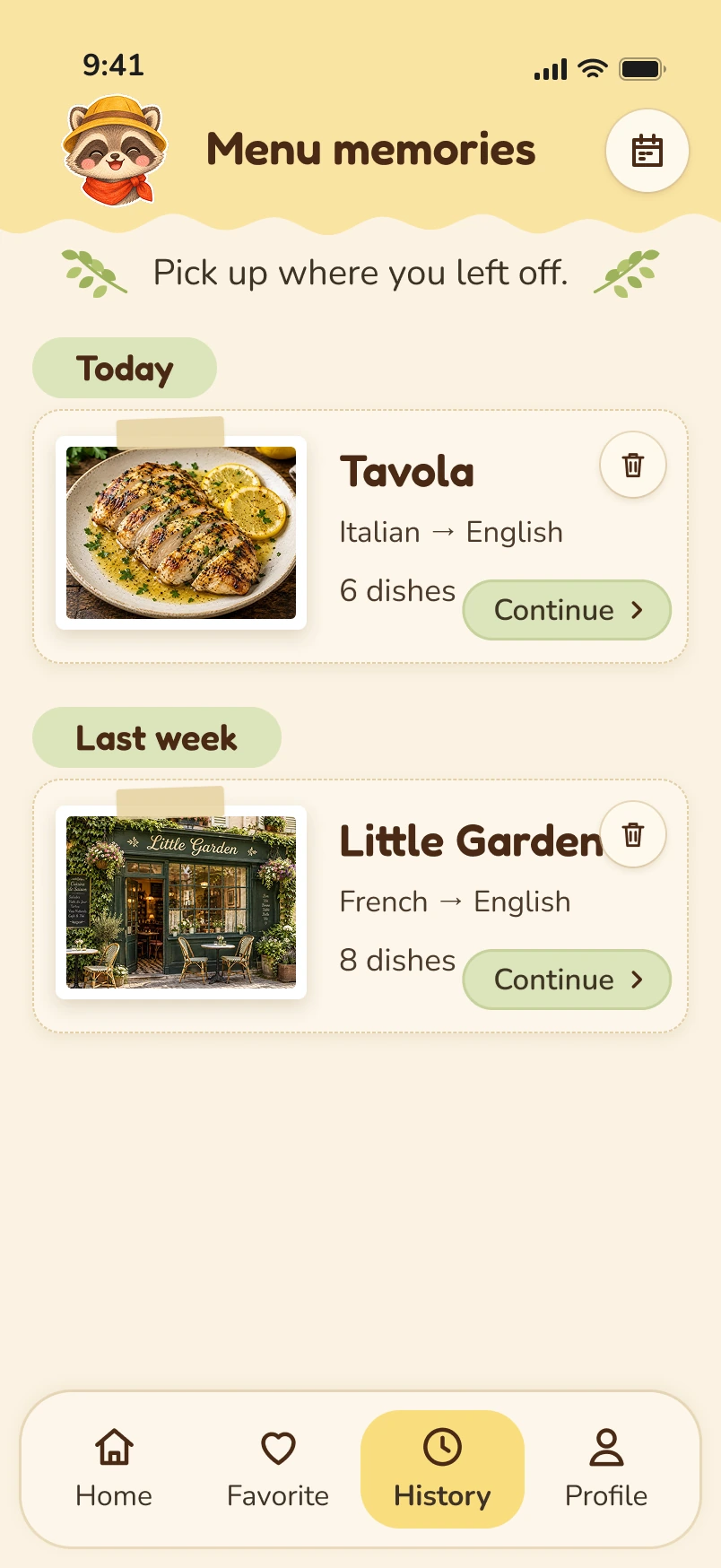
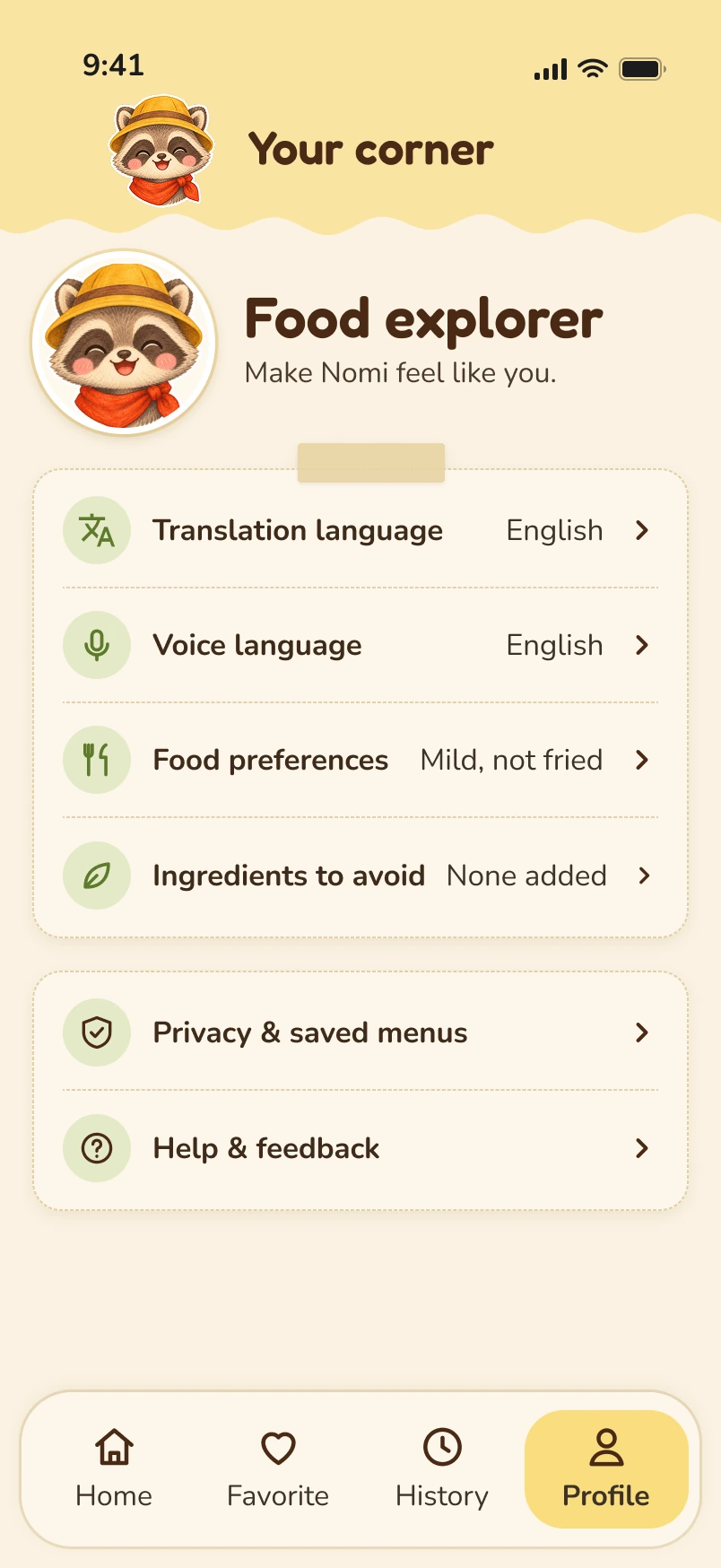
Keep the dishes worth coming back to.
Favorites
Menu memories
Your preferences





THANK YOU FOR VIEWING!
Please feel free to reach out. I’d love to connect.
PROJECTS